Register your personal Carte ZOU !
Top up your tickets, ticket packs or subscriptions online.

Good to know
- By linking your card to your customer account, you’ll be able to buy or top up your tickets, ticket packs or subscriptions directly online
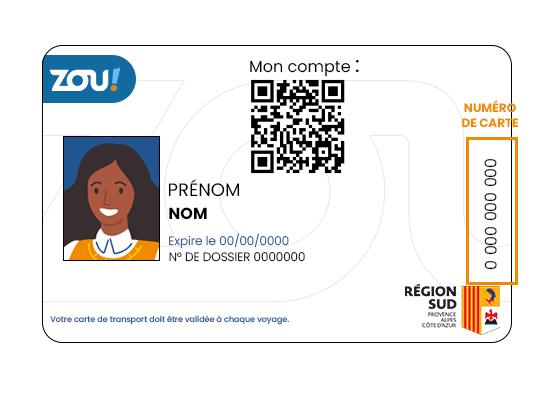
- Please check that you have a valid Carte ZOU ! in your name (whether it’s a personal Carte ZOU !, a joint-use card or a card with a yearly subscription)
- If you have more than one card, you can only link one to your account. Choose the one you wish to use to top up your bus tickets on the ZOU ! website.
- Once your card has been registered, you will no longer be able to delete it or change the details you have provided.
If an error message appears when registering your card
- Check that your account details match those on your Carte ZOU !
- If necessary, update them before trying again
- A card cannot be linked to two different ZOU ! customer accounts
If the problem persists, contact ZOU ! customer service on 04 13 94 30 50 (every day from 7am to 8pm, charged at local call rates).
What to do?
-
1 Step 1
Log in to your ZOU ! account
-
2 Step 2
Go to the “Account” section → “Your cards and subscriptions”
-
3 Step 3
Click on “Register your personal Carte ZOU !”
-
4 Step 4
Enter the number shown on your card and click “Register”